remote support Online Meetings, Remote Support
(M-F) 9am-5pm US Time
Live Chat
Online Meetings and Remote Support
Customize Your Application

Get Customized Remote Support application

To customize your premium application now.


New!! Get alert with password when a support session starts
Predefined password
Auto Start
Change Color Quality
Integrate in your web site
Add your Logo
Read more below...

Advanced Customization (Remote Support)

After you have Subscribed to ShowMyPC, you can configure using your Home Page Editor. Your default application download link can be modified to use these enhanced features. See more details below.


Manual Customization

New!! Get alerts for Support Session in your email or phone. No passwords to exchange.

Providing support is even more easier with this feature, the user getting support will not even have to tell you the password. When the user starts the application, you will get the connection link and password in your Inbox or your phone with an email specified below.

Add '&sa=myname@mydomain.com' to your URL as shown below.(No Special characters in email)
Final URL with Session alert application will be like this
http://........?at=&pr=1&sa=myname@mydomain.com

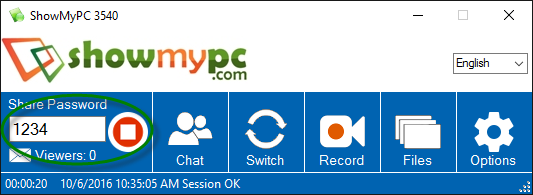
Customize to generate random password with the default length of 2 digits

Add '&pl=2' to your URL as shown below (Use a value between 2 to 8)
Final URL with 2 digit support application will be like this
http://........?at=&pr=1&pl=2


Customize to auto start support application

Add '&as=1' as shown below to your URL. The application will automatically start with no need of pressing any buttons.
http://........?at=&pr=1&as=1

Customize to auto start support application with Predefined Password '3333'

Add predefined password to '&pd=' as shown below to your URL (Value between 10 to 99999999 can be used)
http://........?at=&pr=1&as=1&pd=3333

Customize to start the viewer with better Color Quality

Add '&cq=' as shown below to your Viewer URL
http://........?at=&pr=1&cq=2

Customize the application title with your Company Name or Phone Number

Add '&at=' as shown below to your application URL, Do not use any special characters.
http://........?at=&pr=1&at=My Company (822-232-3445)

Hide the Options Button

Ask ShowMyPC Support how to make this change.

You can directly send these customized URLs to your clients or add to your Home Page.

As a Subscriber you may request more features

We give priority to all the request for features coming from Subscribers. Request a feature.